From QR code deception to callback phishing and more: An overview of emerging email threats and attack trends
Over the last month, Barracuda threat analysts have investigated the following email threats targeting organizations and their employees:
- Tycoon phishing kit using QR codes built out of HTML tables
- Callback phishing through Microsoft Teams
- Facebook-themed ‘infringement warnings’ using fake pop-ups
- How using (∕) instead of (/) can sneak malicious links past detection
Tycoon phishing kit using QR codes built out of HTML tables
Overview: The Tycoon phishing kit is using a technique that involves building fully scannable QR codes out of HTML table cells. This enables malicious QR codes to evade detection by traditional email tools.
The attack starts with a phishing email containing very little text, often just a short instruction to scan the code using a mobile device.
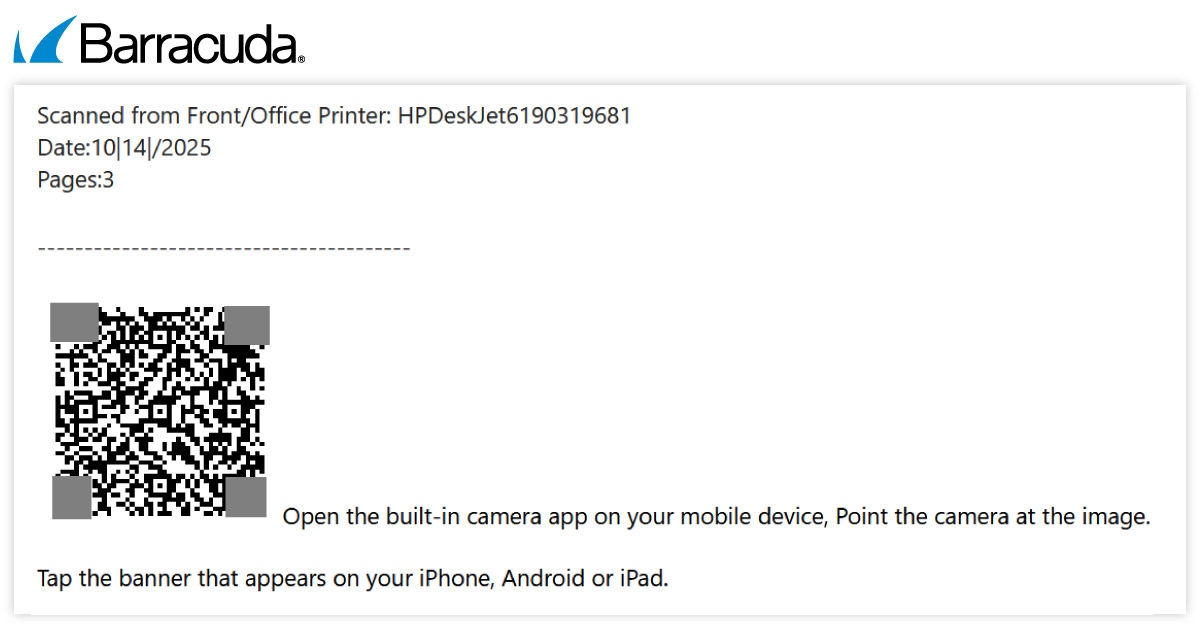
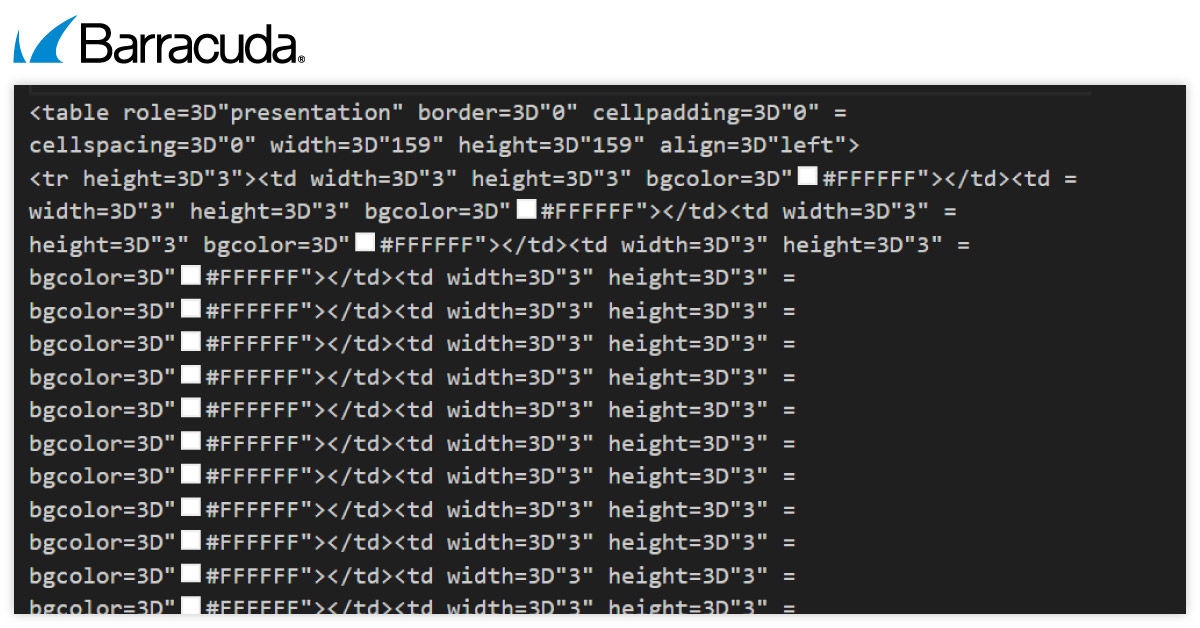
Instead of inserting a normal picture of a QR code — something security systems can easily spot — the QR code is built out of tiny table cells using HTML (HyperText Markup Language, the basic language used to create web content). Each cell is colored either black or white, and together they form the pattern of a real QR code. When the email is opened in a mail app (like Outlook or Gmail), these cells line up visually, and the result looks just like a regular scannable QR code image.
Because there’s no actual image file, no encoded graphic and no visible link, many automated security tools don’t recognize it as risky. It just looks like simple table. This allows the malicious QR code to slip past filters that would normally block it.
If the user scans the QR code, it directs them to a Tycoon phishing page created using the Tycoon PhaaS (Phishing as a Service) platform.
How to stay safe:
- Avoid scanning QR codes in emails that are unexpected or from unfamiliar sources.
- Check the legitimacy of the sender and be wary of emails with little or no text.
- Never scan a QR code without verifying its destination. Most mobile phones will show a preview of the URL if you point the camera at a QR code before clicking.
- Educate employees about the risks of email-based QR code phishing.
- Use multifactor authentication (MFA) for added security.
Callback phishing scams exploiting Microsoft Teams
Overview: This phishing campaign, first reported in December 2025, exploits the widely used Microsoft Teams platform to trick recipients into calling fraudulent support numbers where their credentials, payment details and more can be stolen.
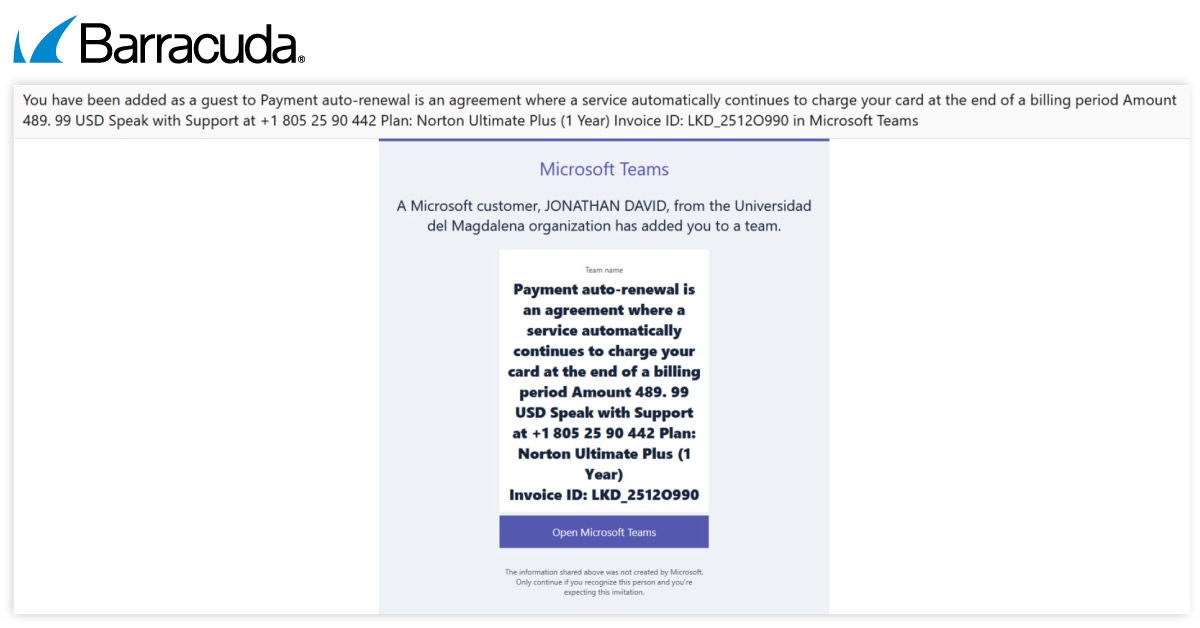
The attackers take advantage of recipients’ trust in Microsoft Teams by adding targets to Teams Groups with urgent-sounding names and then presenting fake content that includes payment invoices, auto-renewal notices or other unauthorized charges. Targets are told that, to avoid paying, all they need to do is phone one of the numbers provided. All the numbers are controlled by the attackers.
The use of a trusted platform and emotive and urgent language boost the attackers’ chance of success. And because the attacks rely on deception and social engineering, they can bypass security defenses and email filters.
How to stay safe:
- Review security settings and policies around Teams notifications and ensure no one can be automatically added to new or unknown external groups.
- Make employees aware of these attack tactics and provide them with a channel to report and verify urgent payment requests.
- Use MFA to add an extra layer of security.
- Implement a security solution that extends protection to collaboration tools.
Facebook-themed phishing scams use fake browser windows
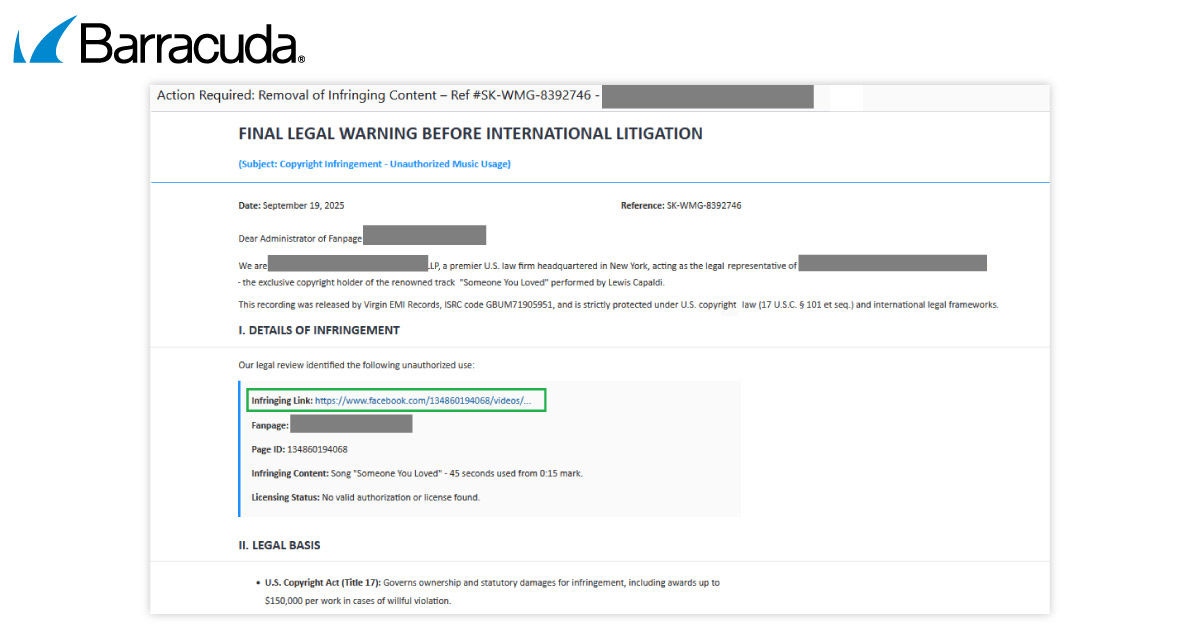
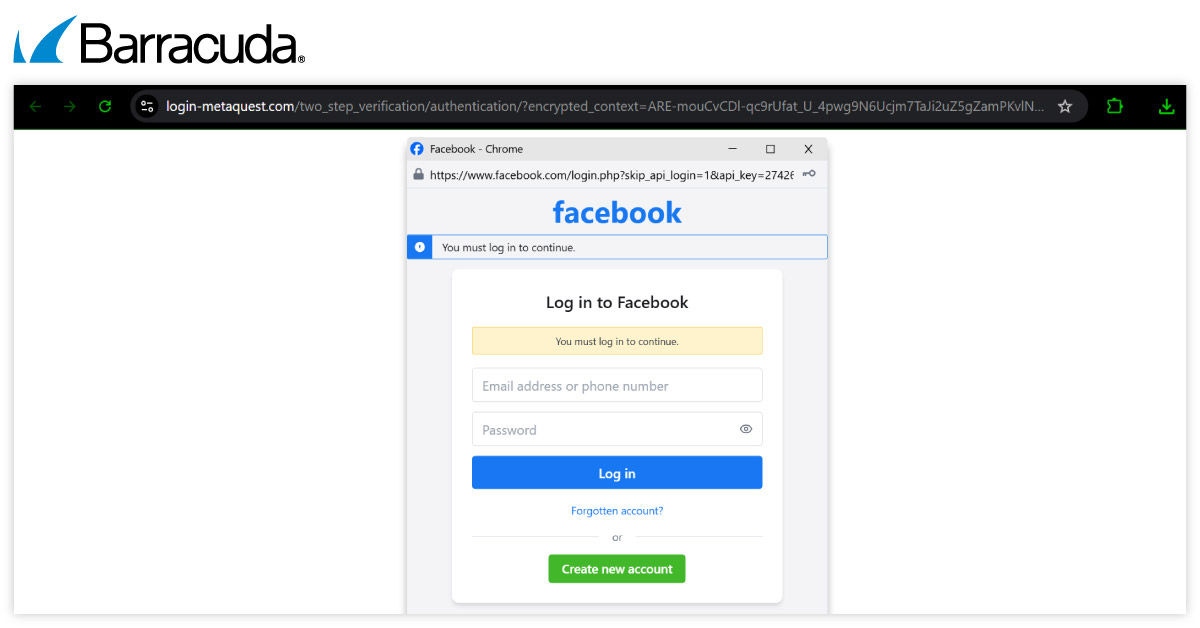
Overview: This campaign was first seen in late September 2025. The messages warn recipients that they are infringing copyright on Facebook. The scam looks convincing because it impersonates Facebook’s legitimate legal warning emails. The messages include a link to supposed ‘Details of Infringement,’ which is a phishing form.
How to stay safe:
- Be cautious of emails prompting you to click on links relating to sensitive legal issues.
- Verify the legitimacy of the sender and the content of the email before taking any further action.
- Use MFA to add an extra layer of security.
- Educate employees about phishing tactics and how to recognize them.
How using (∕) instead of (/) can sneak malicious links past detection
Overview: Threat analysts have discovered attackers using the division slash (∕) instead of a standard forward slash (/) in malicious links to help them evade detection. (/) is a Unicode character that is primarily used in mathematical notation.
The barely noticeable difference between the divisional and forward slashes causes traditional automated security systems and filters to fail, allowing the links to bypass detection. As a result, victims are redirected to default or random pages. Below are some of the example links:

How to stay safe:
- Examine links closely, especially in emails you weren’t expecting.
- Avoid clicking on links that look unusual or lead to unexpected pages.
- Keep email and web security tools up to date so they can better detect obfuscated or deceptive URLs.
- Educate employees on the risks of link manipulation techniques and encourage them to report suspicious emails.



Abonnieren Sie den Barracuda-Blog.
Melden Sie sich an, um aktuelle Bedrohungsinformationen, Branchenkommentare und mehr zu erhalten.